Built for people on probation

Stop Waking Up Stressed Our AI Checks Your UA Hotline For You

Every morning, Probation360 checks your hotline for you and sends a clear No Test Today ✅ or Test Required 🚨 alert to your phone. No more calling every day, sitting on hold, or guessing your status.

Free while in beta. No credit card required.
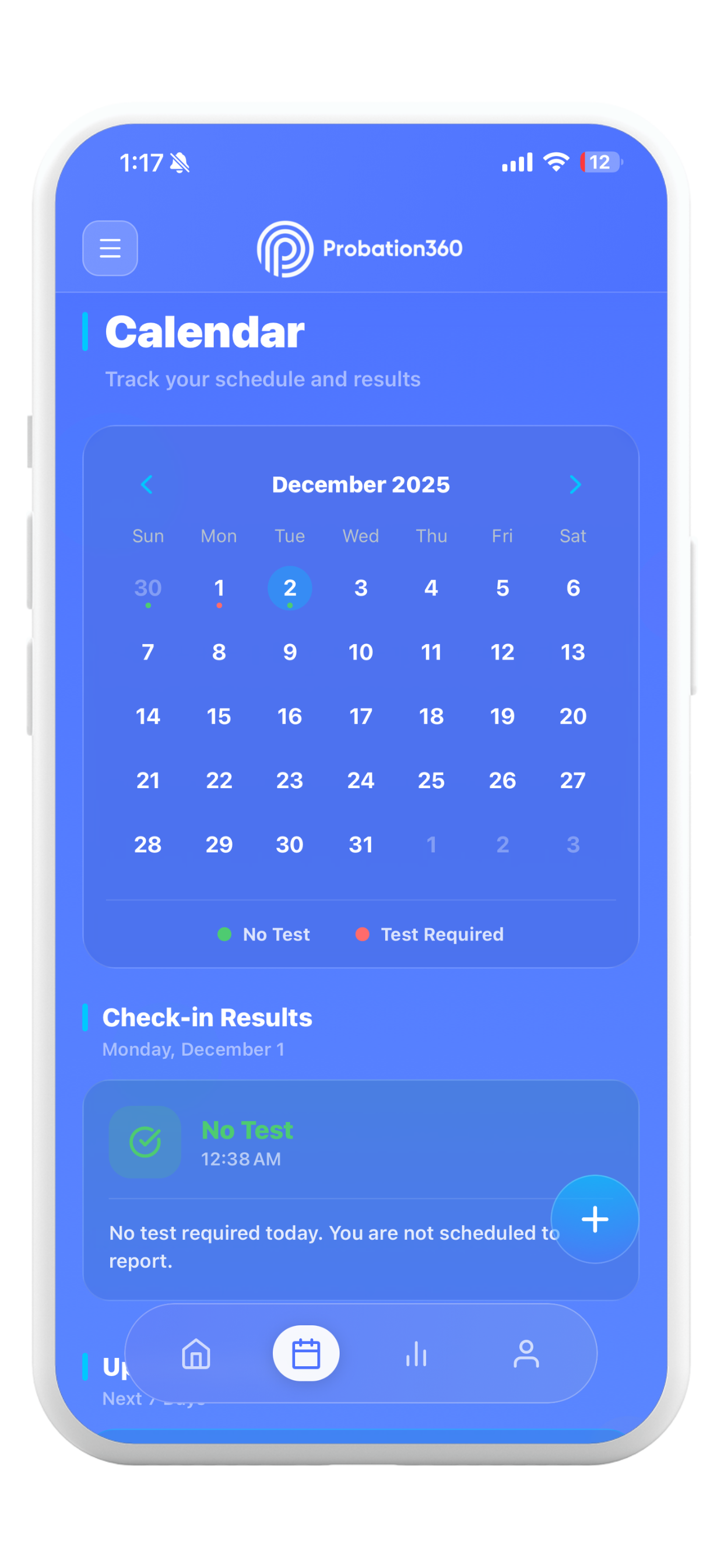
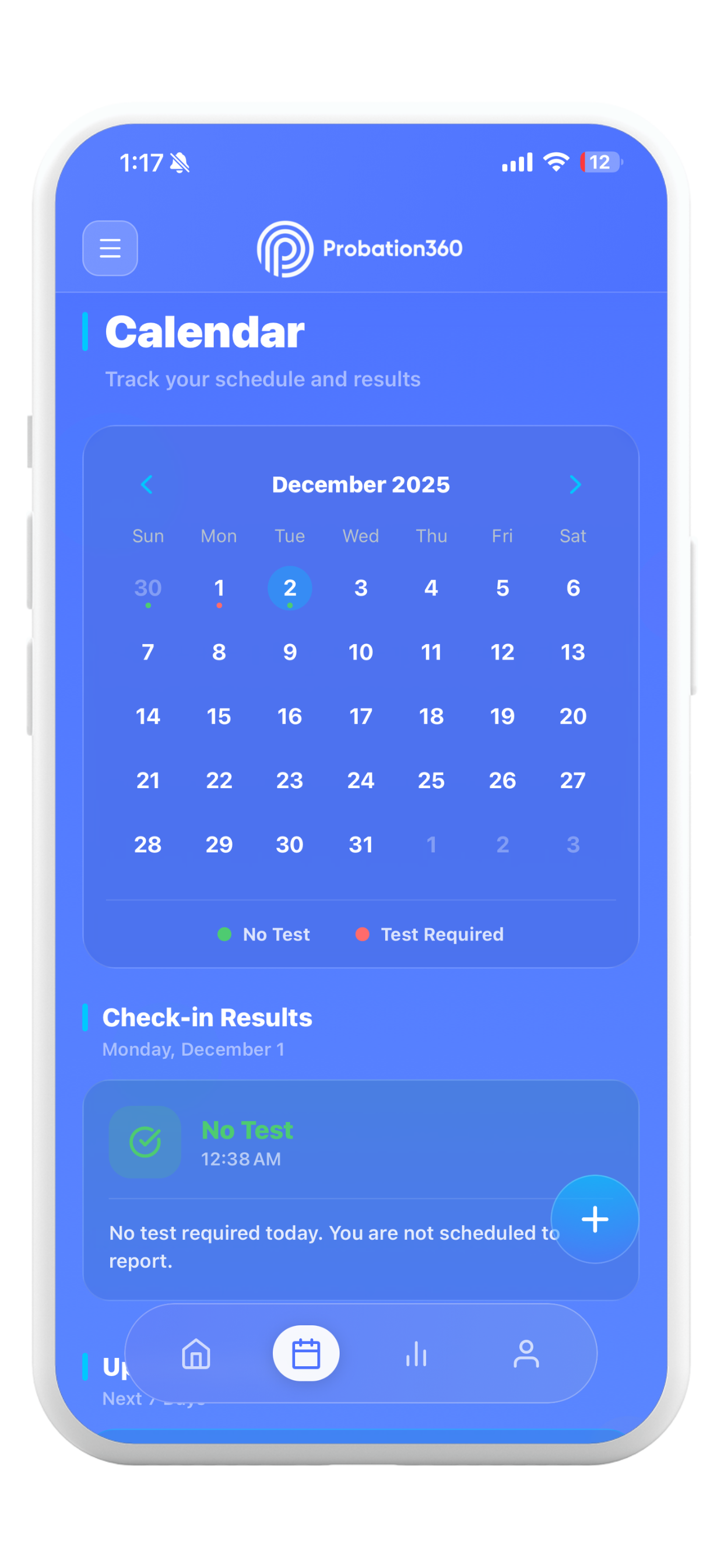
Probation360 calendar view showing daily drug test results and test required markers
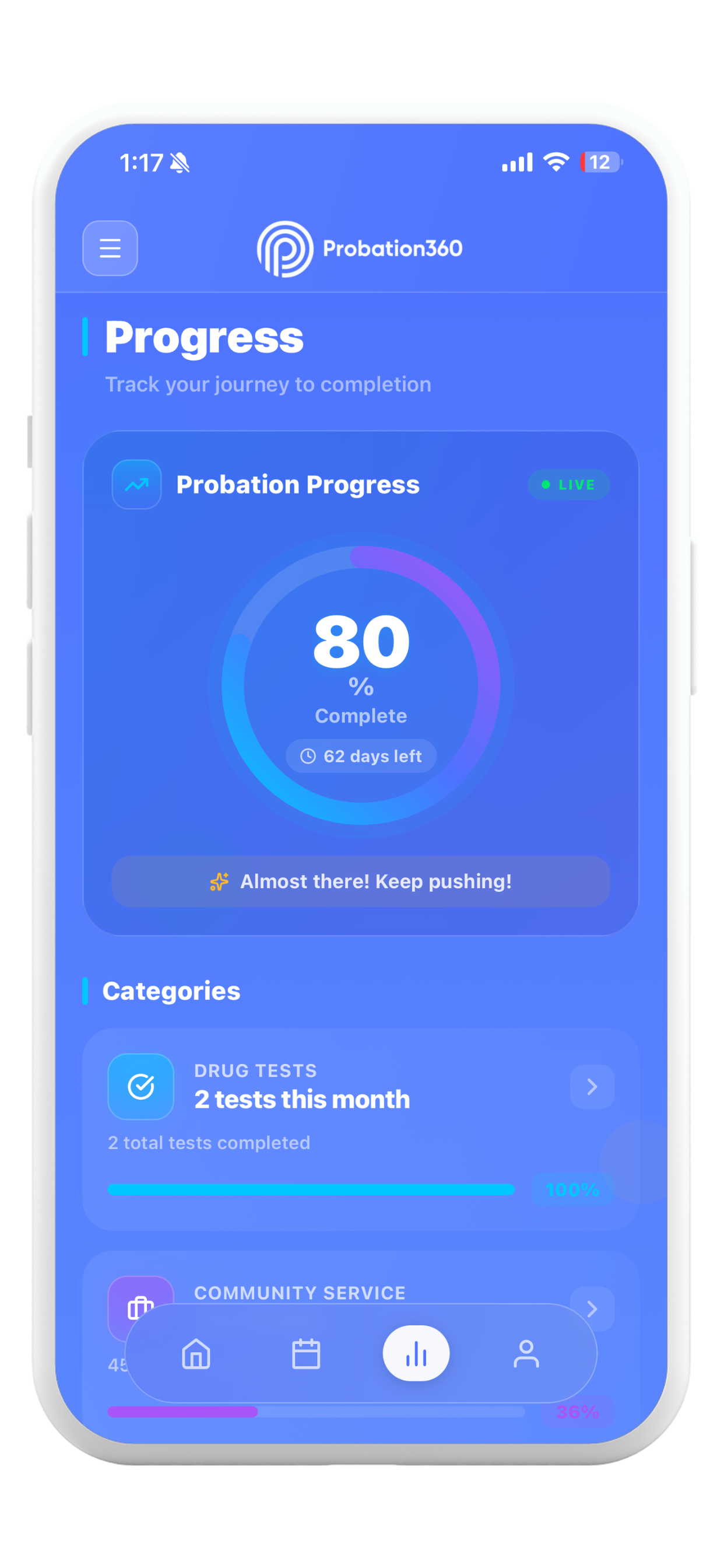
Probation360 probation progress dashboard with days left and days done
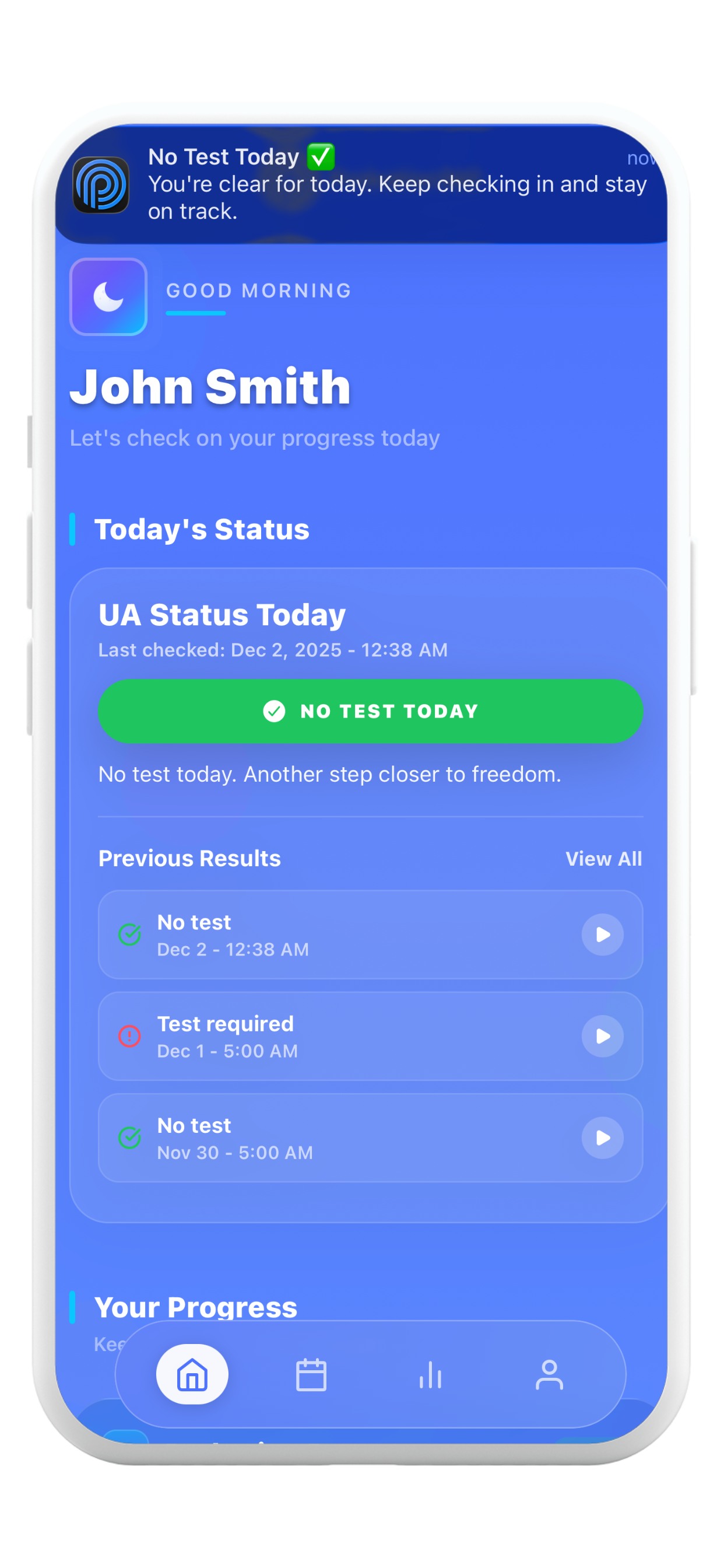
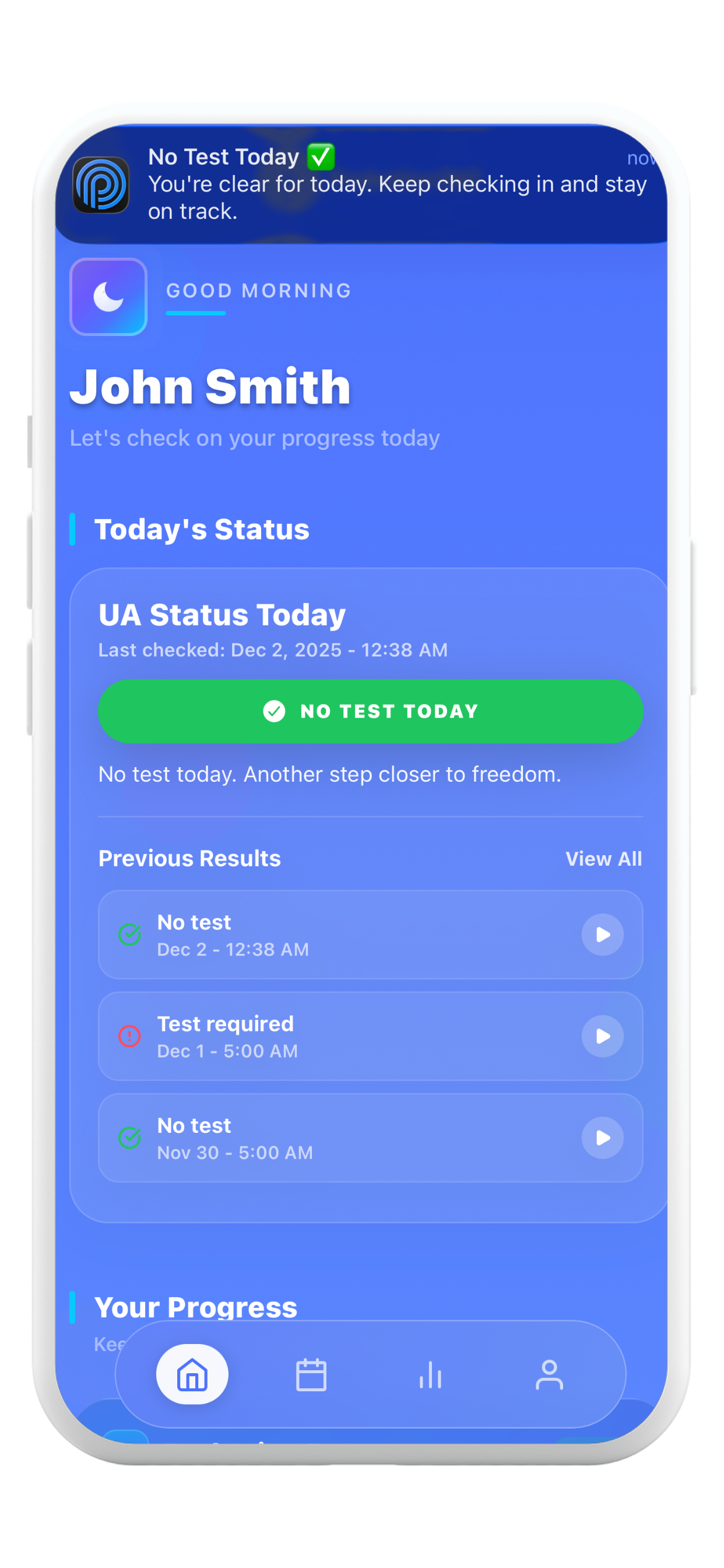
Probation360 home screen showing daily UA status with No Test Today alert

Why Choose Probation360 as Your Probation App?

See how we make daily UA check-ins effortless

Old Way
  • Call the UA hotline every morning
  • Sit on hold waiting for your status
  • Stress about missing a test if you oversleep
  • Track everything with paper notes and screenshots
VS
Probation360
  • We check your hotline automatically every morning
  • Get a clear No Test Today ✅ or Test Required 🚨 alert
  • Never miss a test—alerts sent right to your phone
  • All your probation tasks organized in one app

Probation Tracking Features

Everything you need to stay compliant and stress-free with daily drug test reminders.

AI Daily UA Hotline Monitor

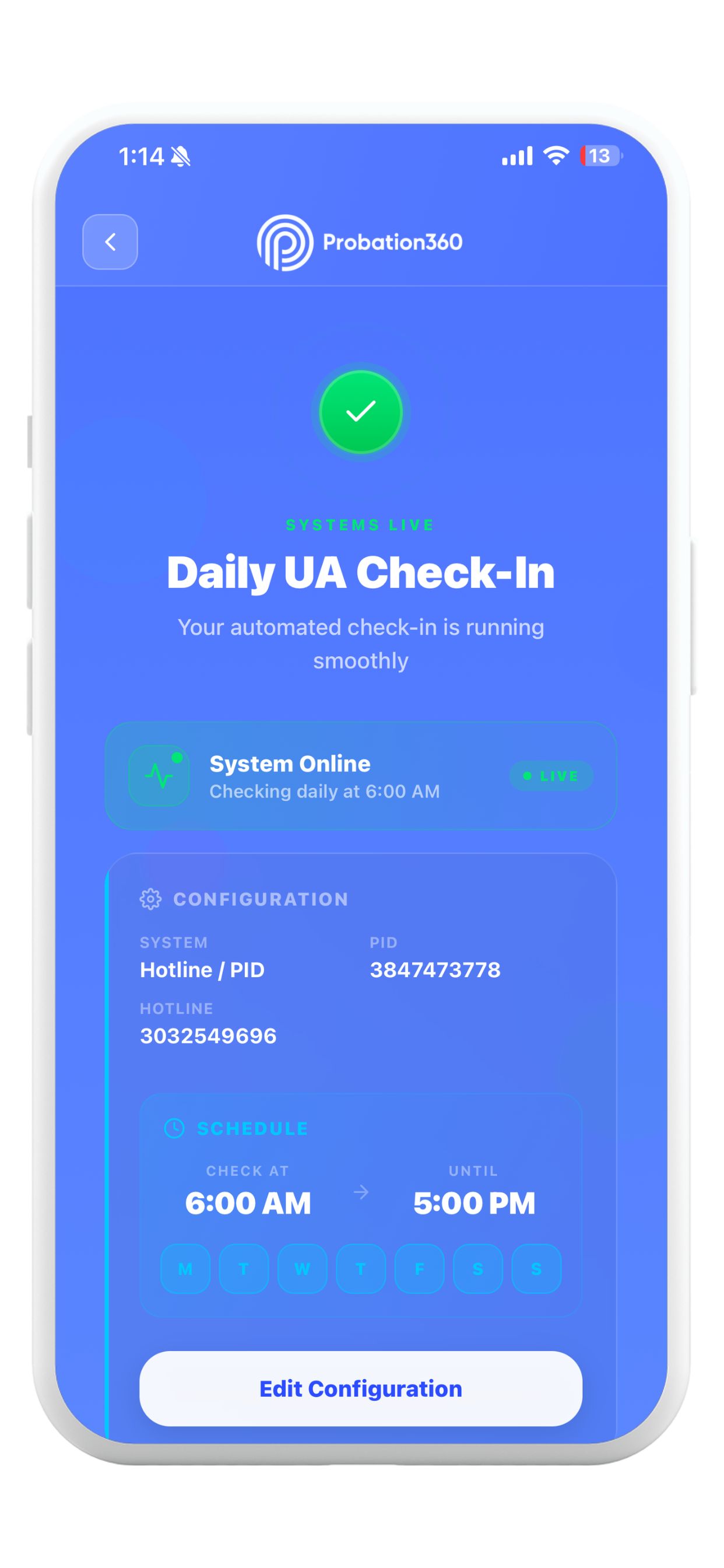
Our system checks your UA line using real data—no more morning phone calls to the color code hotline.

Probation360 AI daily check-in automation settings screen

Instant Drug Test Alerts

Get clear No Test Today or Test Required alerts as soon as your UA status updates.

Probation360 home screen showing No Test Today drug test alert

Full Probation Progress Dashboard

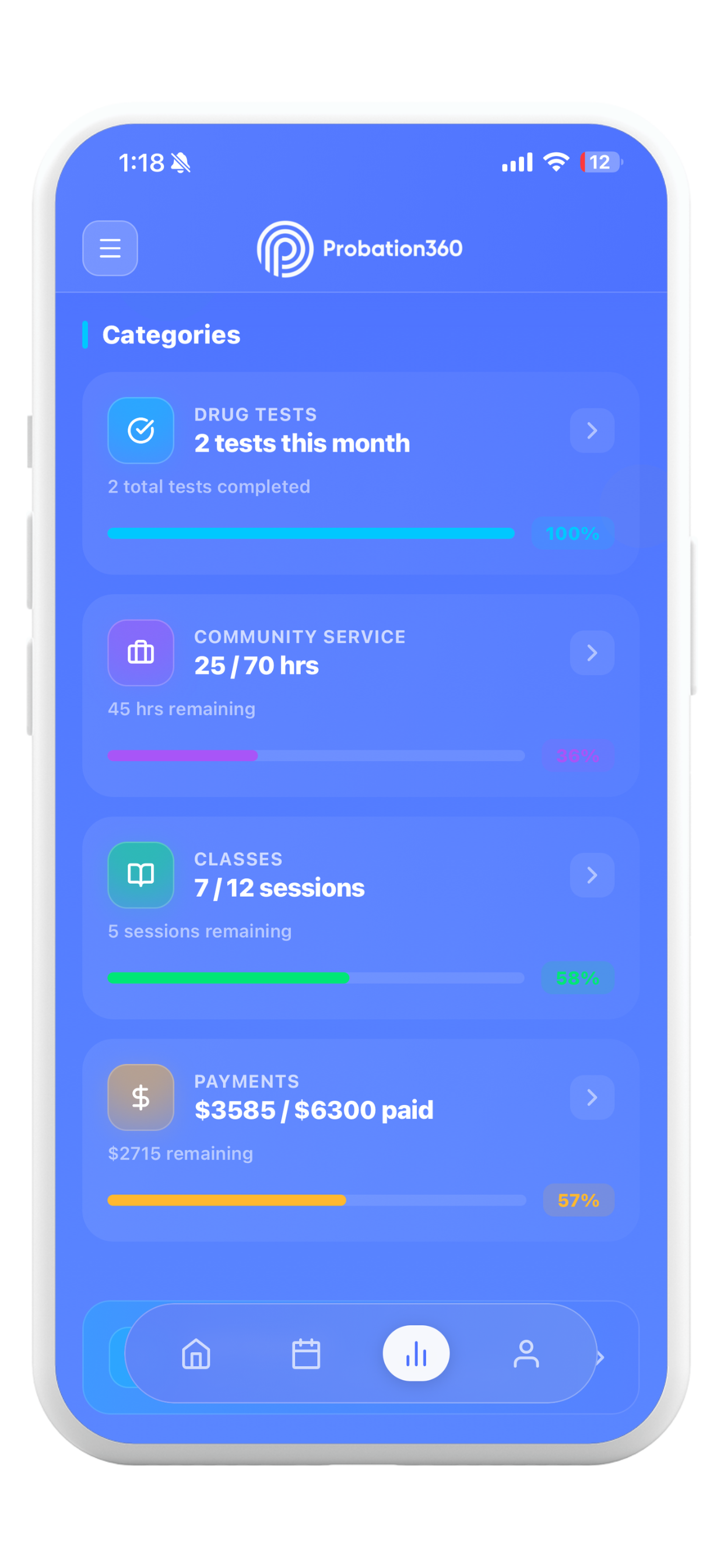
Track community service hours, classes, payments, and UA tests in one probation calendar view.

Probation360 progress dashboard tracking community service, classes, and payments

Built-In Probation Accountability

Share clean, organized records with your PO when you need to show progress on your probation requirements.

Probation360 probation progress overview with days completed

How the UA Hotline App Works

Your hotline, our AI. Three simple steps to stop stressing every morning about your probation check-in.

1

Add your hotline & PID / Color Group

Enter your UA hotline phone number plus your PID or Color Group one time inside the app.

2

Our AI calls your hotline for you

Each morning, our backend dials the hotline, enters your PID or Color Group, and listens for your UA result—no manual calls, no hold music.

3

Instant alert, with proof saved

We send a clear "No Test Today" or "Test Required" notification, log it to your calendar, and securely store a playable call recording for proof.

An Overview from the Founder

Watch a quick walkthrough of how Probation360 simplifies your daily UA check-ins.

Founder Demo: See how Probation360 automates your daily UA hotline check-ins

Probation360 Pricing Plans

Right now, all TestFlight beta users get full access to the probation tracker for free. No credit card required.

Coming Soon

Pro

$7.99/month
  • Everything in Free Beta
  • Priority hotline check processing
  • Advanced UA history & analytics
  • Secure document downloads for PO

Coming Soon to Probation360

More tools to help you stay organized, supported, and in control.

Probation360 AI Chat

24/7 support assistant for reminders, questions, and guidance.

Community Page & Support Groups

Join curated peer groups for motivation and connection.

Progress Widgets

Track streaks, tasks, and compliance milestones.

Document Uploads

Store court papers, documents, and receipts securely.

Compliance Report Exports

Generate clean PDF reports for PO meetings.

Sobriety Tracker

Track sober streaks and receive encouragement.

These features are under development. Thank you for being part of our early community.

Probation360 app icon - AI-powered probation and UA hotline app

Download the Probation360 Beta Today

Available now via Apple TestFlight for iPhone. Get daily drug test reminders and UA hotline alerts. Limited spots while we refine the app.

Open TestFlight Link No credit card required. Feedback helps shape the public release.

Probation App FAQ

Everything you need to know about Probation360 UA hotline app and probation tracker.

Probation360 is a mobile app designed to help individuals on probation manage their UA (urinalysis) testing requirements. The app provides automated status checking by calling your UA hotline daily, calendar tracking for testing dates, progress monitoring for probation milestones, and push notifications to keep you informed of your testing status.

Yes. Probation360 includes a 14-day free trial so you can test everything with zero risk. After the trial, you can choose a low-cost subscription to continue receiving automated alerts, reminders, and tracking features with no interruptions.

Once you set up your UA alert, Probation360's system calls your UA hotline at your preferred time each day. The system listens to the hotline's recorded message, determines whether you need to test that day, and sends you a push notification with the result. You'll receive either a 'No Test Today' or 'Test Required' notification, helping you stay compliant without manually calling the hotline yourself.

Once your account setup is complete and your testing provider is entered, enable notifications when prompted. Probation360 will automatically check your test status every day and notify you instantly.

You receive instant push notifications as soon as your daily testing status becomes available, typically early each morning depending on your provider.

Probation360 runs on secure cloud servers with real-time monitoring, backed by a dedicated team to ensure daily accuracy and uptime.

Yes. Probation360 supports both Averhealth and Sentry along with most standard hotline and PIN-based testing systems.

Yes, your privacy and security are our top priorities. All data is encrypted in transit and at rest using industry-standard encryption. We use Supabase for secure authentication and data storage with Row-Level Security, ensuring only you can access your information. We never share your personal data with third parties without your explicit consent. You can review our full Privacy Policy in the app menu.

After enabling notifications and setting up your UA alert, you'll automatically receive daily push notifications with your testing status. Notifications are delivered through Apple Push Notification Service (iOS) or Firebase Cloud Messaging (Android). You can customize your alert time during setup. Make sure to allow notifications when prompted and keep the app installed to receive alerts.

Tap 'Find Test Locations' in the side menu to access our database of over 345 testing facilities across the United States. You can search by state, city, or provider name. Each listing includes the facility's address, phone number, and type. We recommend calling ahead to confirm hours and requirements before visiting any testing location.

Go to the Subscription section inside the app, select your plan, and confirm through Apple. Your free trial will convert automatically unless canceled.

Open iPhone Settings, tap your Apple ID, then Subscriptions, find Probation360, and tap Cancel Subscription. Access continues until the billing period ends.

Yes, you have full control over your data. You can permanently delete your account from the Account screen by scrolling to the bottom and tapping 'Delete account permanently.' This action removes all your personal information, progress logs, UA results, calendar events, and stored files from our servers. Account deletion is irreversible, so please export any data you need before proceeding.

You can reach our support team through the 'Contact Us' option in the side menu. We offer email support and aim to respond within 24-48 hours. When contacting us, please include details about your issue and any error messages you've encountered. For urgent matters related to your probation, always contact your probation officer directly - Probation360 is a tool to assist you, not a replacement for official communication.

Contact Probation360 Support

Need help with the probation app? Email us and we'll get back within 24–48 hours.